
Your apps, one shortcut away.
Put the apps you use together into groups, then switch between them with a shortcut for each group.
Stay in your flow Dedicated shortcuts make familiar app groups easy to reach without scanning a long list. with familiar shortcuts for the apps you use together.


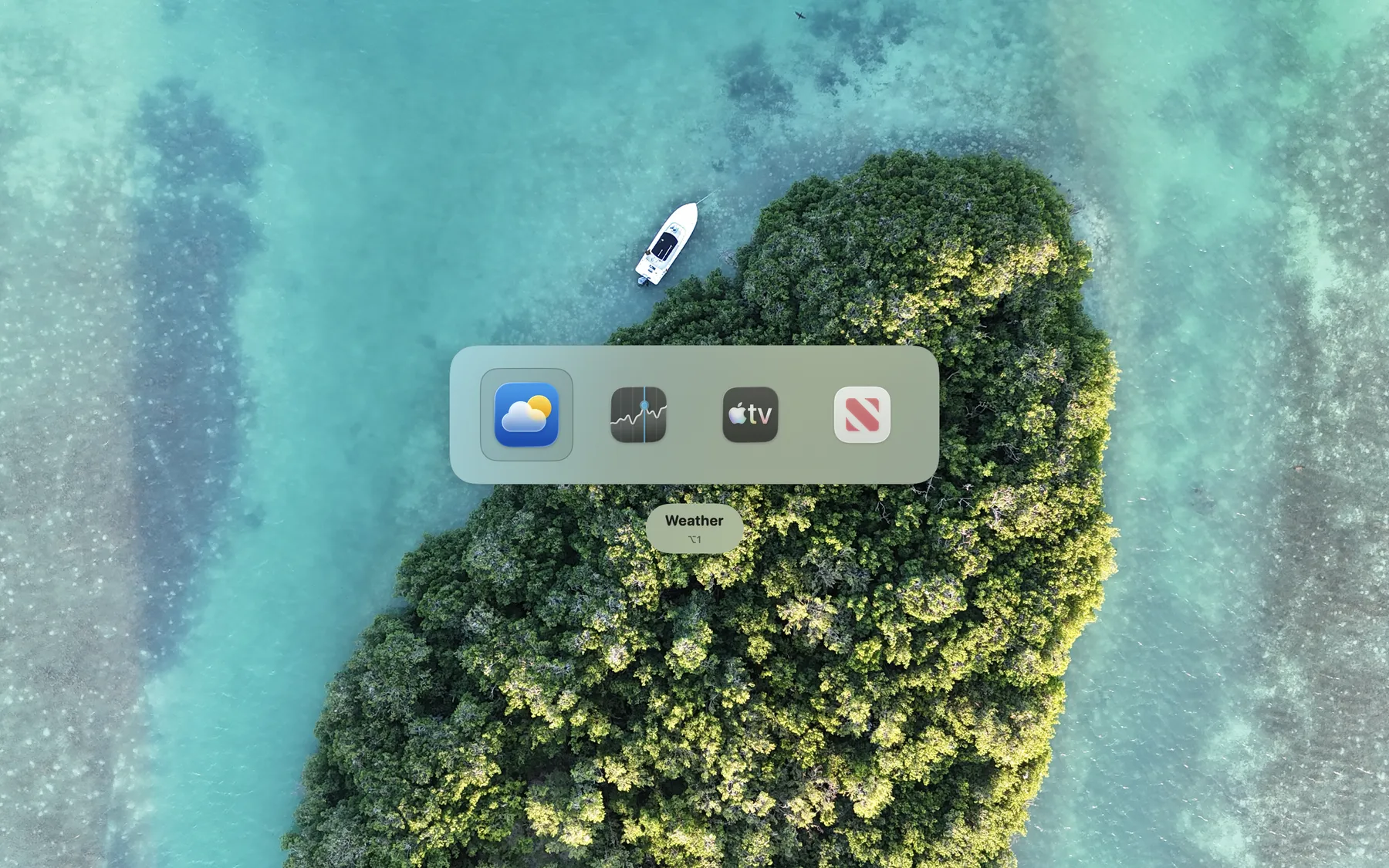
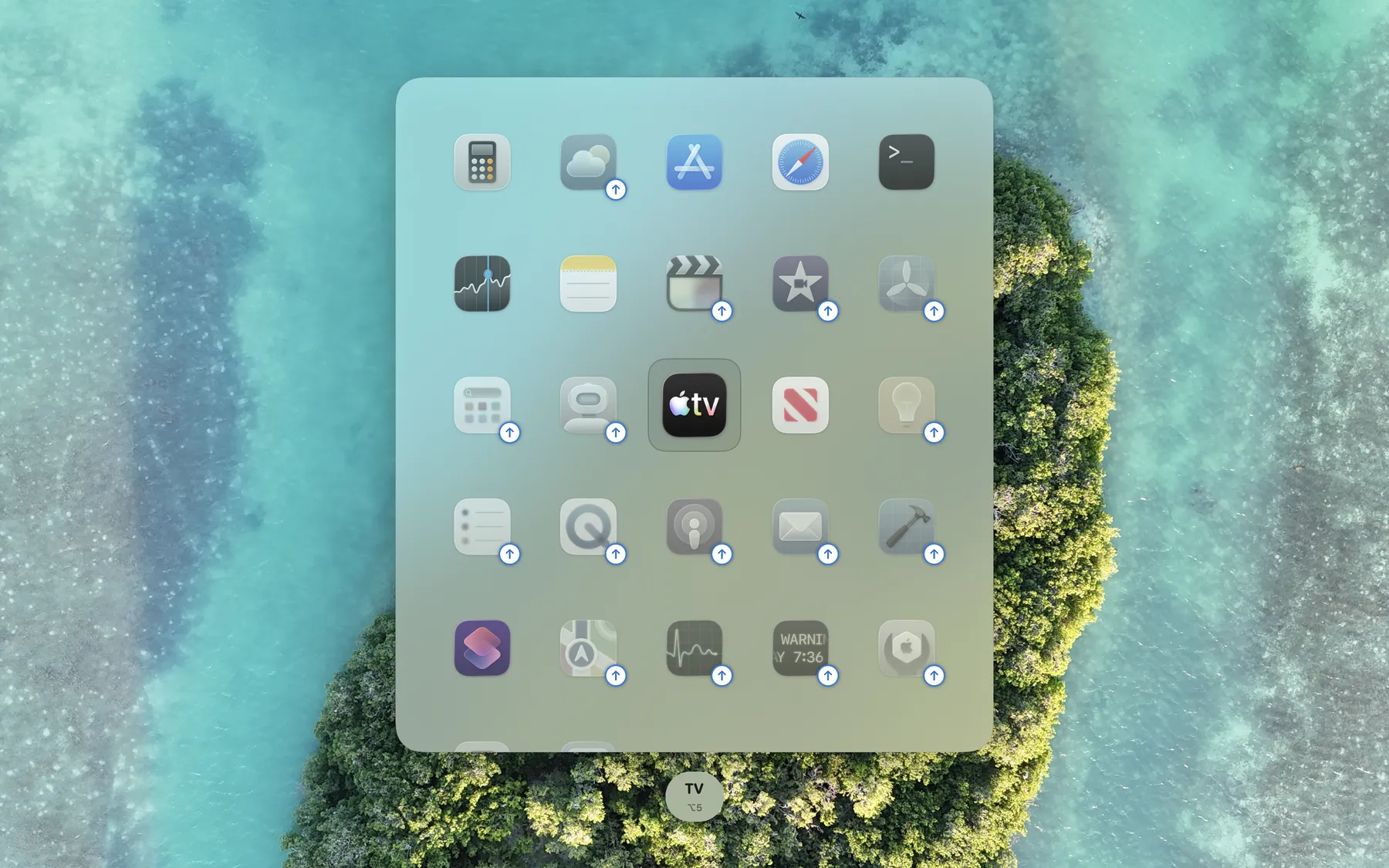
A shortcut for every part of your day
Keep the switching tools you already like. ShortcutCycle adds a familiar shortcut for each group of apps you use together, so you can return to the right task without searching.
Search when you need it
Command+Tab • Window switchers • Launchers
-
Great for discovery Browse everything that is open or type a name when you are not sure where you are headed.
-
More choice each time Useful for an occasional jump, but doing the same task again still means looking through a list and choosing an app.
-
The path can change Window order, history, and search results shift as your day moves on.
ShortcutCycle
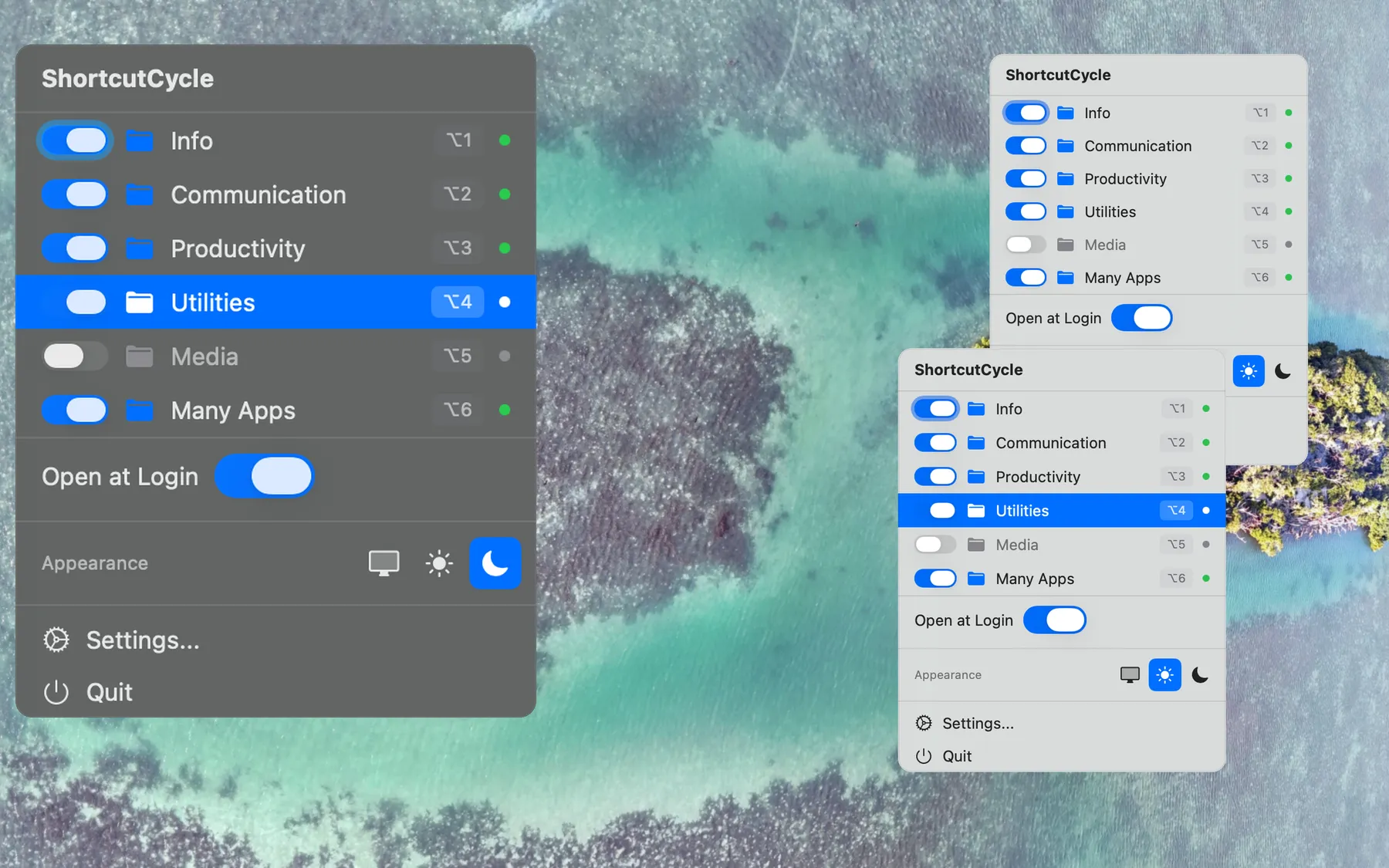
Dedicated shortcuts for app groups
-
A familiar shortcut for each group Option+1 always means Browsers. Option+2 always means Dev.
-
Only the apps that belong Each shortcut switches within one group, keeping unrelated apps out of the way.
-
Tap or hold Tap to switch instantly, or hold for a quick visual check.
Features
One Price, Yours for Good
Pay $3.99 once and keep ShortcutCycle. No subscription and no recurring fees.
Apps grouped by task
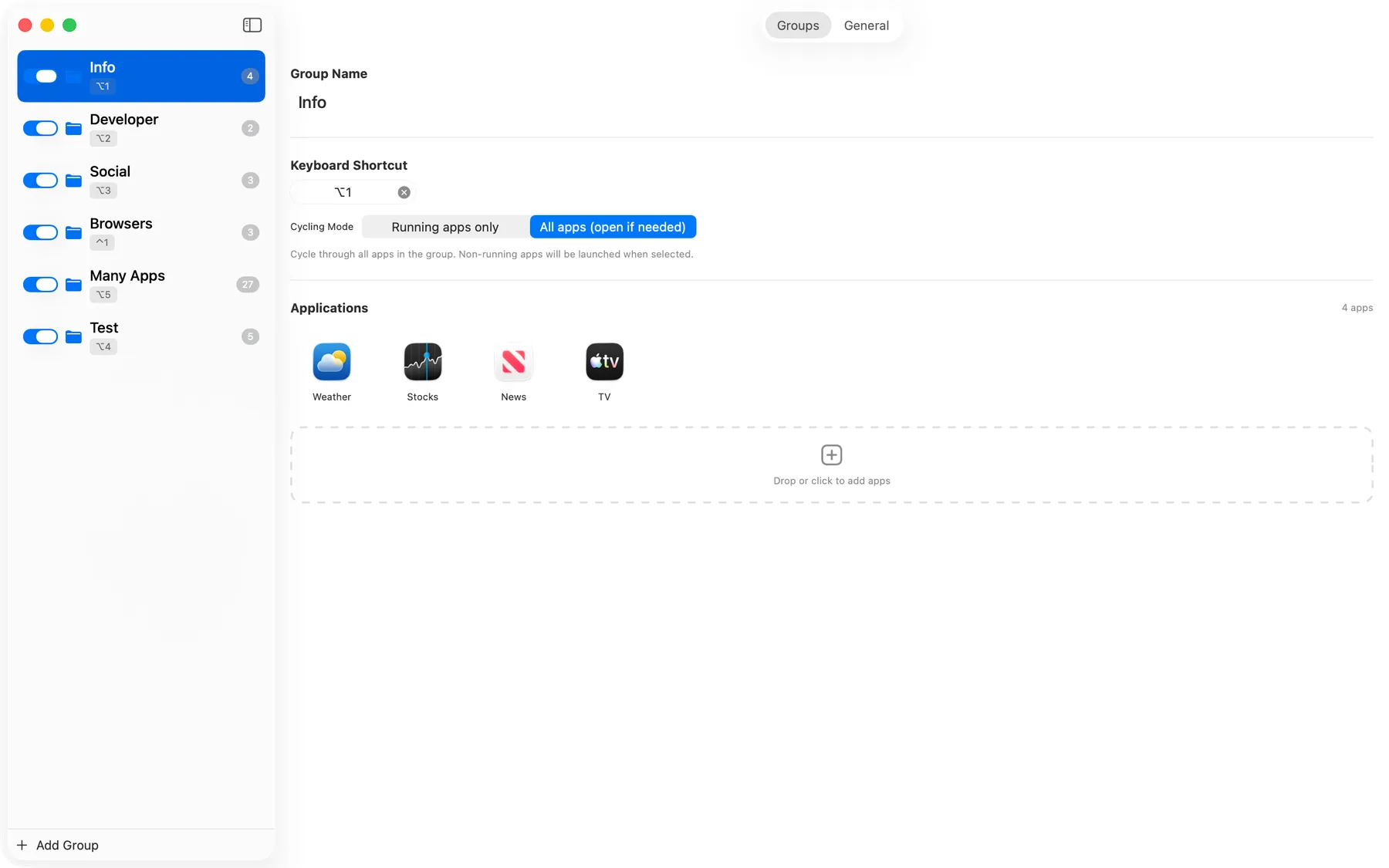
Put apps for coding, writing, or keeping in touch into separate groups. Switch only between the apps you need for that task.
Instant Switching
Tap to switch or hold to preview. Set a one-app group to use running apps only, then use its shortcut to bring the app forward and hide it again.
Browser Profiles
When Chrome, Firefox, or Edge runs profiles as separate instances, ShortcutCycle keeps work and personal profiles distinct.
Preview before switching
A simple preview shows the selected app before you switch, so you know where you are going.
At Home on Your Mac
Opens quickly, stays out of the Dock, and feels like part of macOS.
Each Group, Your Way
Choose whether a group includes only apps already open or can open the next app for you.
Private by Design
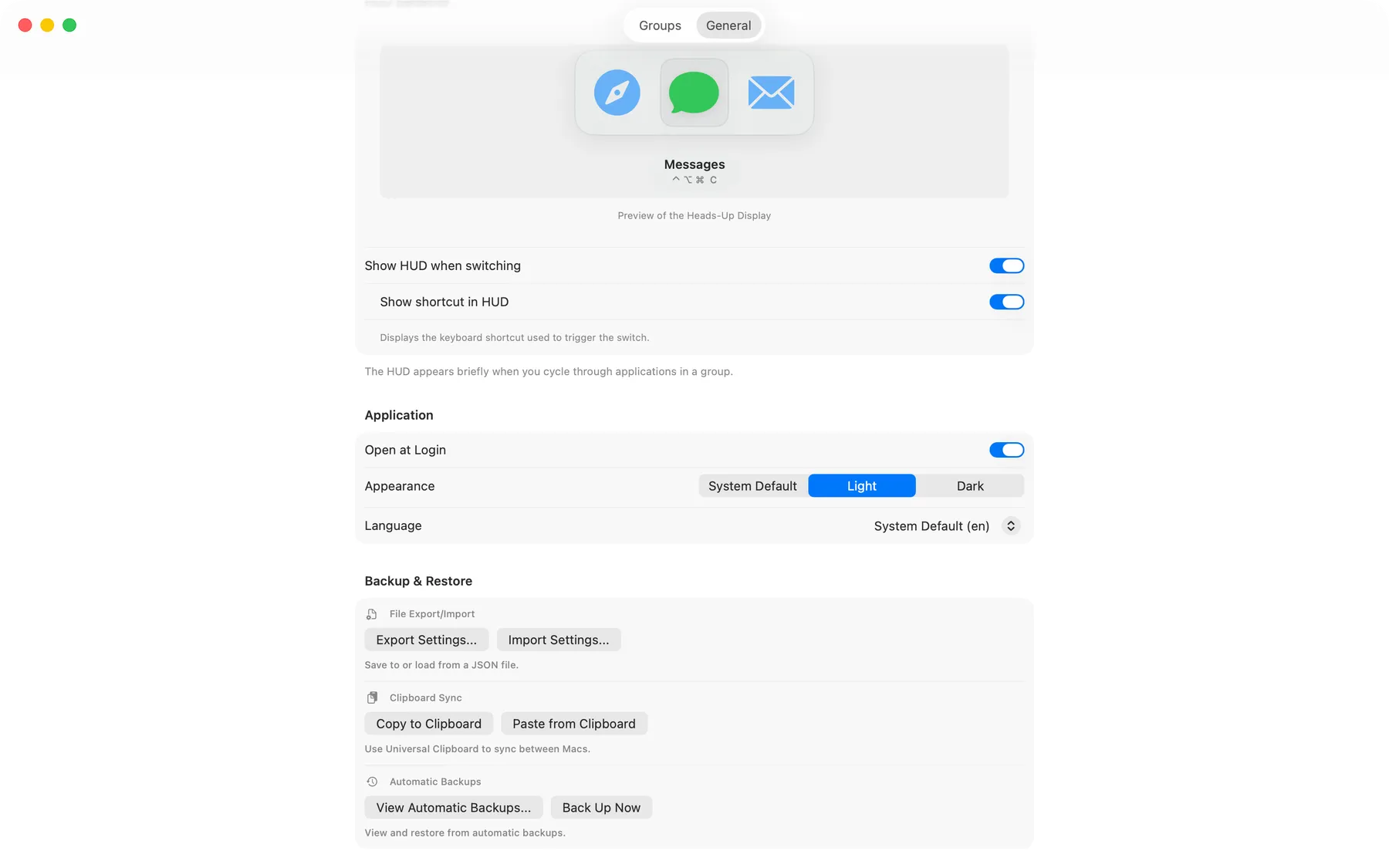
No analytics or tracking. Your groups and shortcuts stay on your Mac, and you can export a copy whenever you want.
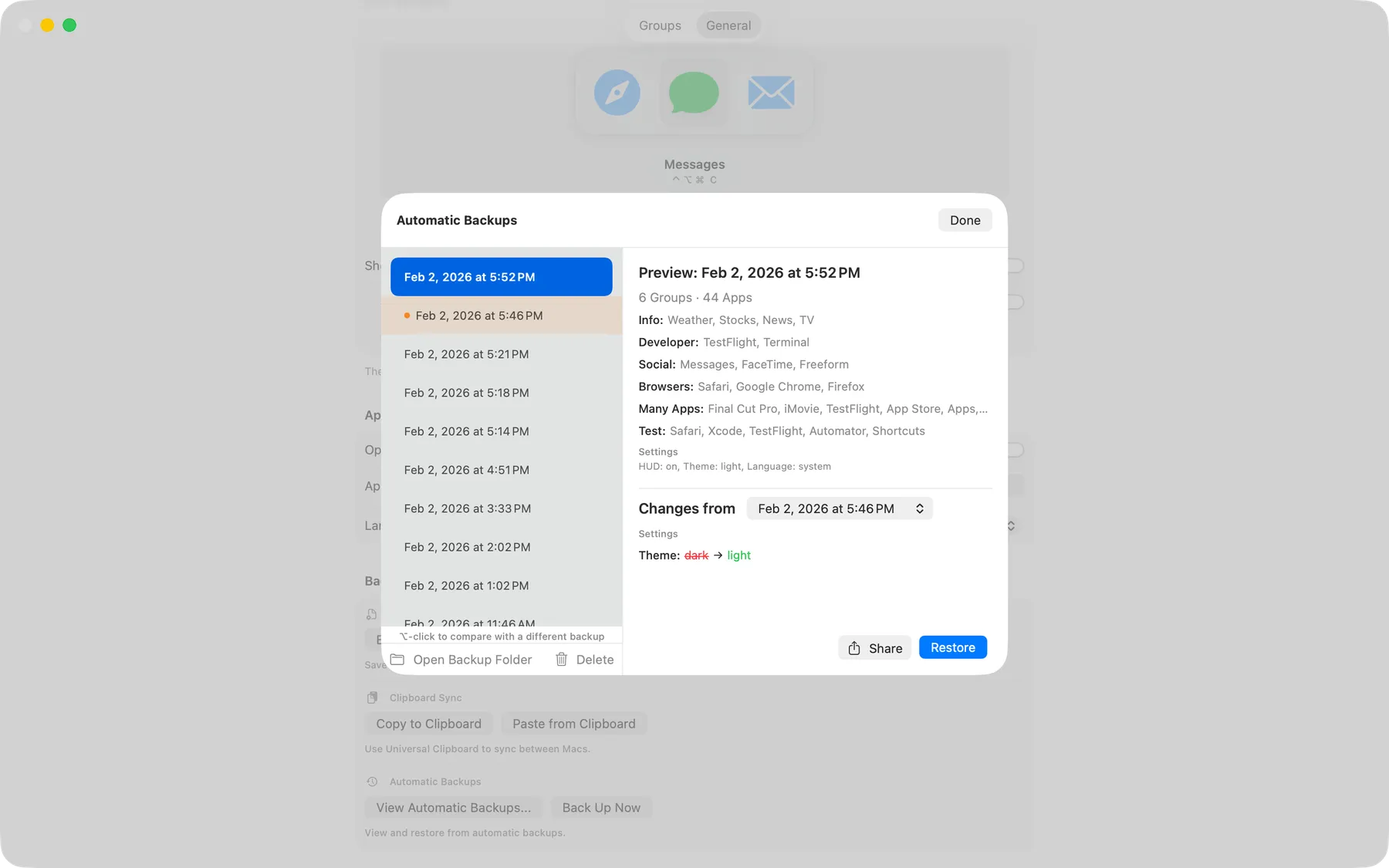
Automatic Backups
ShortcutCycle quietly saves earlier setups, so an accidental change is easy to undo.
Fits Your Automation
Connect your groups to Apple Shortcuts, Alfred, Raycast, Keyboard Maestro, or shell scripts. Explore automation commands.
Your Language, Built In
Use ShortcutCycle in any of 15 supported languages.
More Ways to Work
Works with VoiceOver, Voice Control, keyboard navigation, Reduce Motion, and your preferred appearance.
See It In Action
From the first shortcut to your everyday switching rhythm
Quick App Switching
Cycle through grouped apps with a single keystroke
Preview your next app
See the selected app before you switch.
Easy Configuration
Set up your groups and shortcuts in seconds
Frequently Asked Questions
Getting Started
How do I create a group?
Open Settings, click +,
and name a group such as "Social" or "Dev." Add apps that are running now or browse for
others, then press the shortcut you want, such as Option+1.
Can I customize the shortcuts?
Yes. Press the combination you want. ShortcutCycle suggests recent choices and warns if one is already in use. Add Command, Control, or Option to letter and number keys; function keys can work on their own.
What happens if an app isn't open?
The group's mode decides. Running Apps Only skips closed apps while any group app is running; if none are running, it launches the first app. All Apps launches a closed app when selected.
Automation
Can I automate ShortcutCycle with Shortcuts, Alfred, or Raycast?
Yes. Connect a group to the automation tools you already use. For example:
open "shortcutcycle://cycle?group=Browsers"
Can automation open Settings or my backups?
Yes. Use these commands:
open "shortcutcycle://open-settings?tab=groups"
open "shortcutcycle://open-settings?tab=general"
open "shortcutcycle://open-backup-browser"
Can I automate setup transfers or backup restores?
Yes. Automation can save or load a setup and bring back a backup. For example:
open "shortcutcycle://restore-backup?index=2"
ShortcutCycle checks an incoming setup before replacing anything. If it cannot be used safely, your current groups and settings stay unchanged. Explore all automation commands.
Backups & Privacy
Can I back up my setup?
Yes. ShortcutCycle automatically keeps a useful history of earlier setups. You can also export a copy whenever you want to keep one elsewhere or move it to another Mac.
Is my data private?
Yes. ShortcutCycle runs entirely on your Mac with no analytics or tracking. Your app groups and shortcuts stay on your Mac; we never see or collect them.
Compatibility & Project
What macOS versions are supported?
ShortcutCycle requires macOS 14.0 (Sonoma) or later.
Does it work with multiple monitors?
Yes. The switching preview appears on the display you are using, and you can switch to an app on any connected display.
Why doesn't ShortcutCycle switch to a specific window?
ShortcutCycle switches apps rather than individual windows. That keeps its permissions limited while making app-group switching fast and dependable.
Is it open source?
Yes! ShortcutCycle is 100% open source under the MIT license. You can view the code, contribute, or build it yourself on GitHub.