 ShortcutCycle
Cycle apps by group, instantly.
Stop endlessly tabbing. Group apps by context—Web, Code, Social—and cycle with dedicated hotkeys.
Save hours every week Based on saving 3 seconds per switch, 400 times a day equals about 2 hours saved per week. with app switching tailored to your own workflow.


The Group Cycling Advantage
Most switchers force you to search, type, or scan a history list. ShortcutCycle uses muscle memory. Group your apps by context (e.g., "Browsers", "Code") and cycle them with a single keystroke. It's faster, consistent, and demands less cognitive load.
The Old Way
Cmd+Tab / AltTab • Raycast / Alfred
-
Search & Scan Requires reading lists, typing names, or scanning icons. Breaks your flow.
-
High Cognitive Load "Is it window 3 or 4? What did I title it?" Constant micro-decisions add up.
-
Slow Inputs Cmd+Space+T-y-p-e or Cmd+Tab+Tab+Tab. Every switch takes seconds.
ShortcutCycle
Context-Aware Group Cycling
-
Muscle Memory Your fingers know exactly where "Code" is. Zero thought required.
-
Instant Scope Only cycle relevant windows (e.g., just browsers). Ignore the noise.
-
One Keystroke Option+1. Done. You're there instantly.
Features
No Subscriptions
Pay once, keep it forever. Enjoy a lifetime license for just $3.99. No recurring fees, ever.
Context Groups
Stop cycling through 20 irrelevant windows. Group apps by workflow—"coding", "writing", "social"—and switch only between what you need.
Instant Switching
Press Option+1 to activate your browser group. Press again to cycle through
windows. Build instant muscle memory.
Browser Profiles
Treat work and personal profiles (Chrome, Firefox, Edge) as separate apps. Cycle through your work browser without seeing your personal tabs.
Beautiful HUD
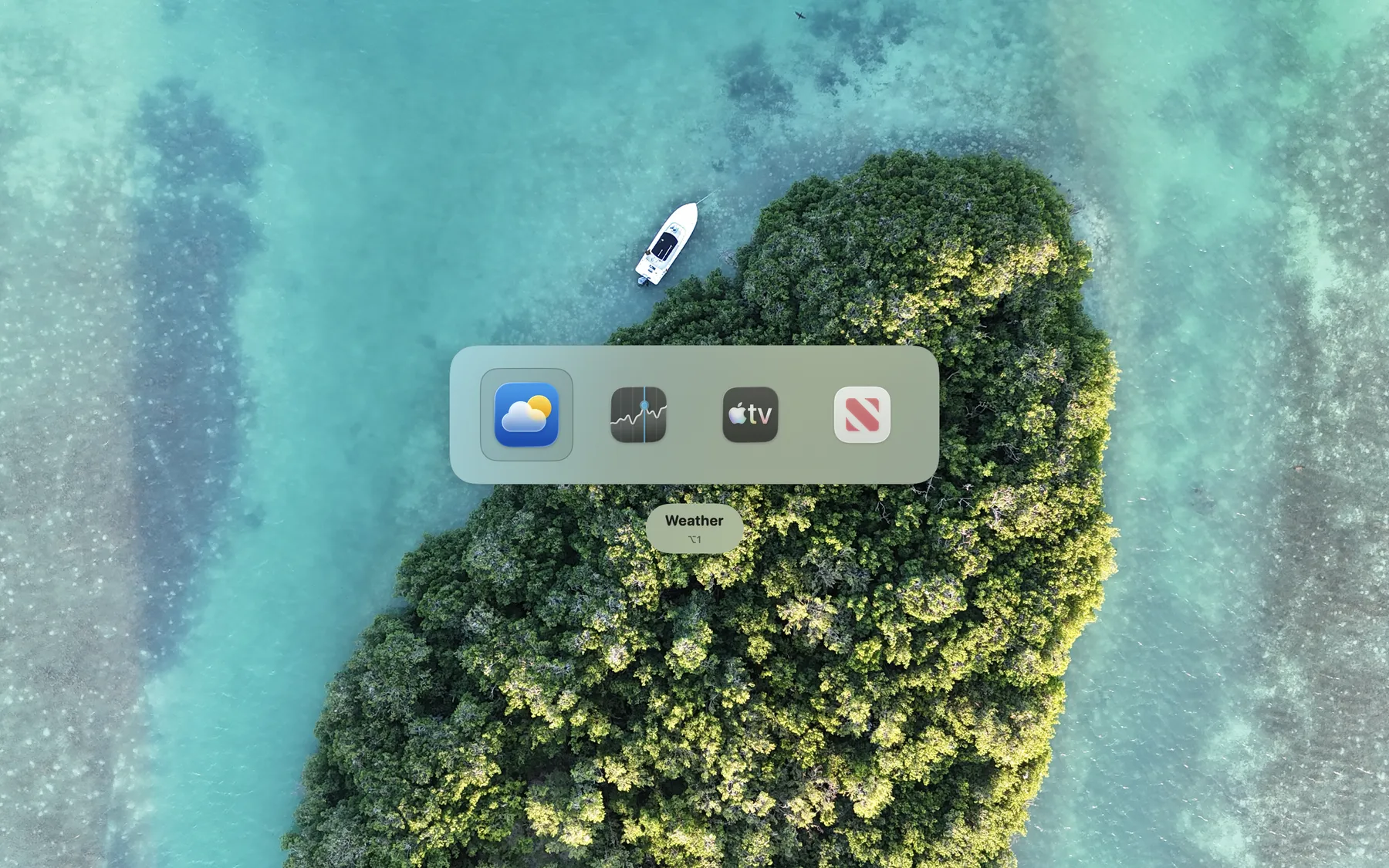
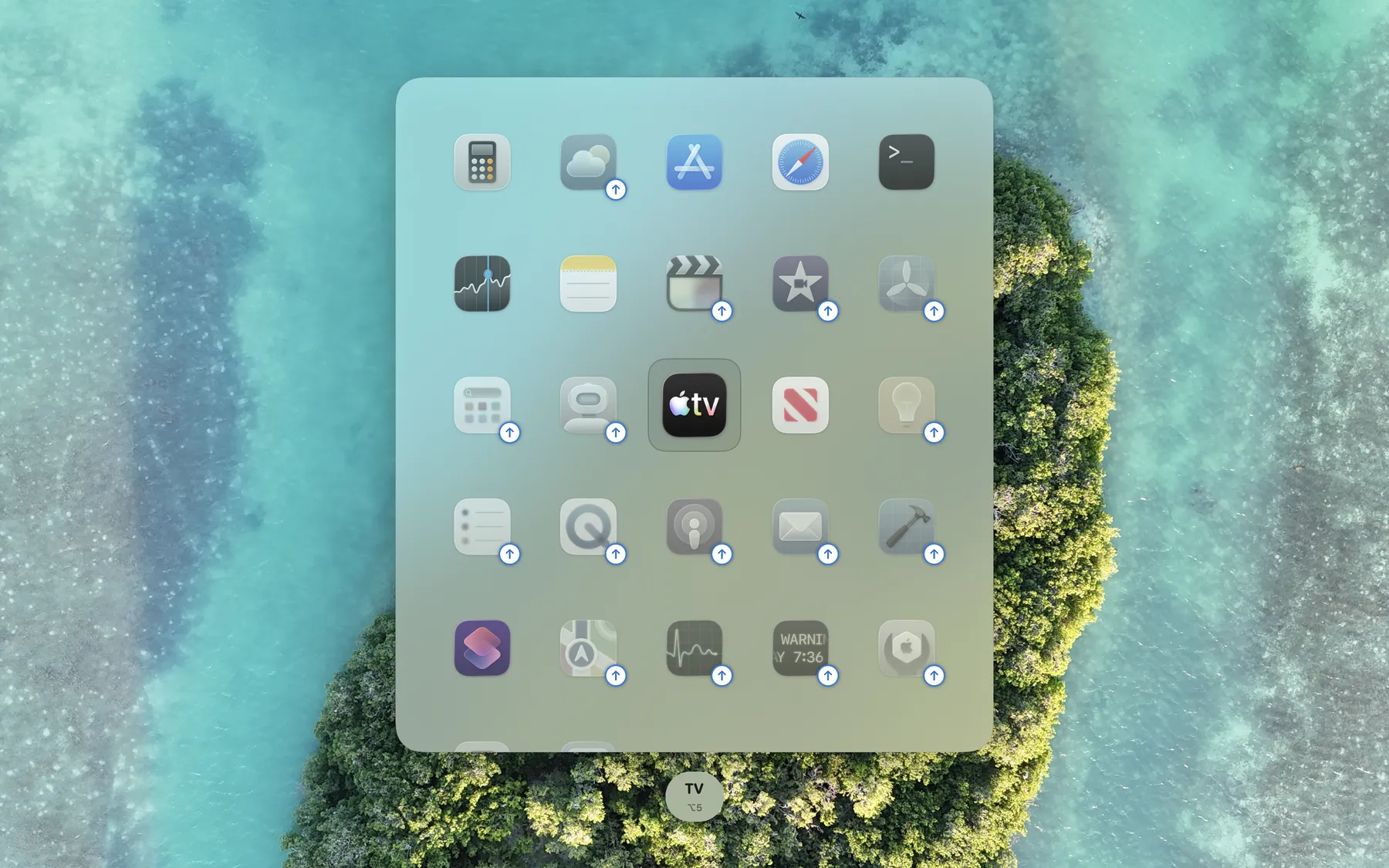
A native, lightweight overlay shows your target before you switch. Know exactly where you're landing.
Native & Fast
Built with Swift for Apple Silicon. Instant startup, zero lag, and negligible battery impact.
Auto-Launch
Targeted app not running? We launch it instantly. ShortcutCycle is a switcher and launcher in one.
Private by Design
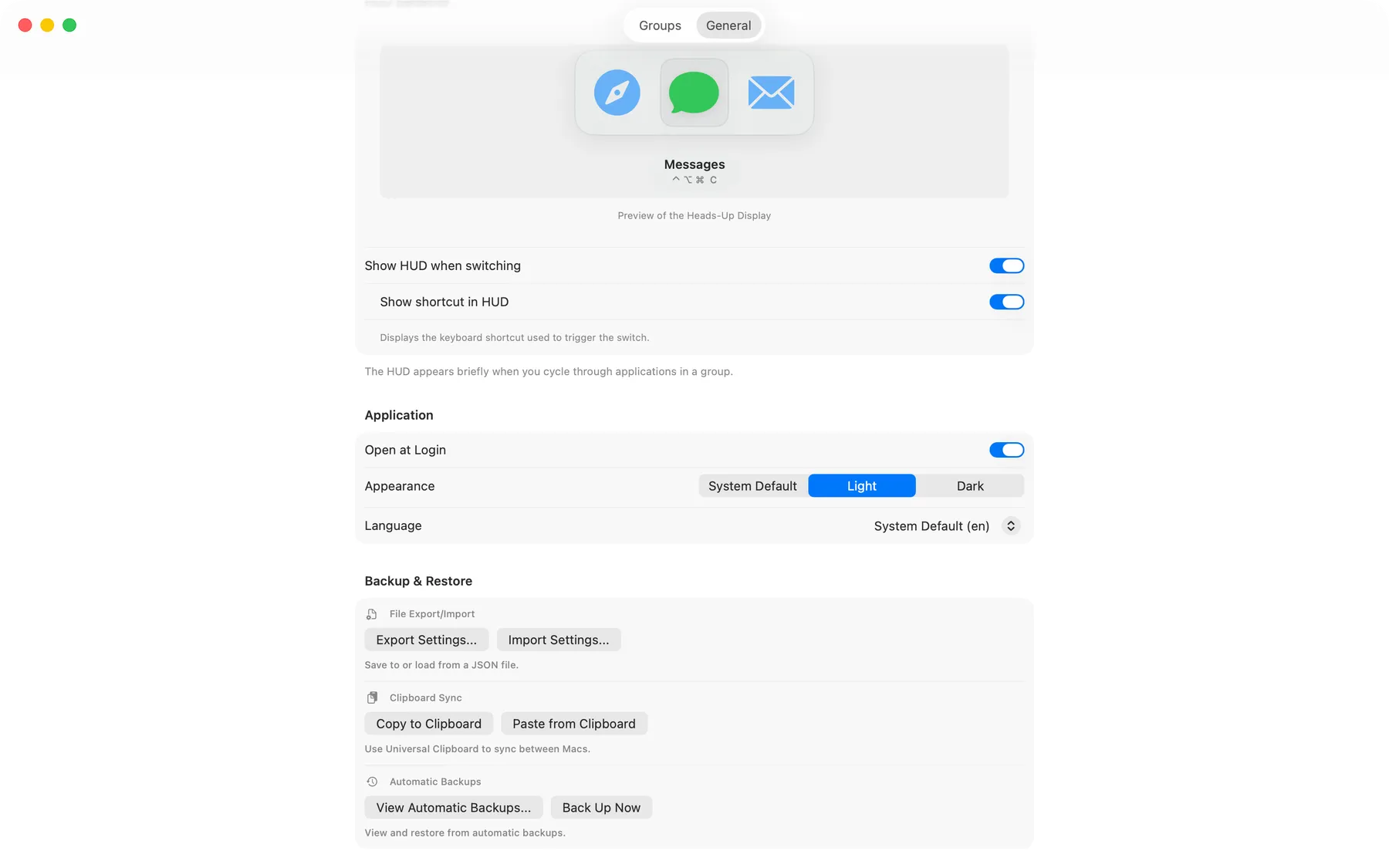
No analytics. No tracking. Your configuration stays on your Mac. Export to JSON to backup your settings.
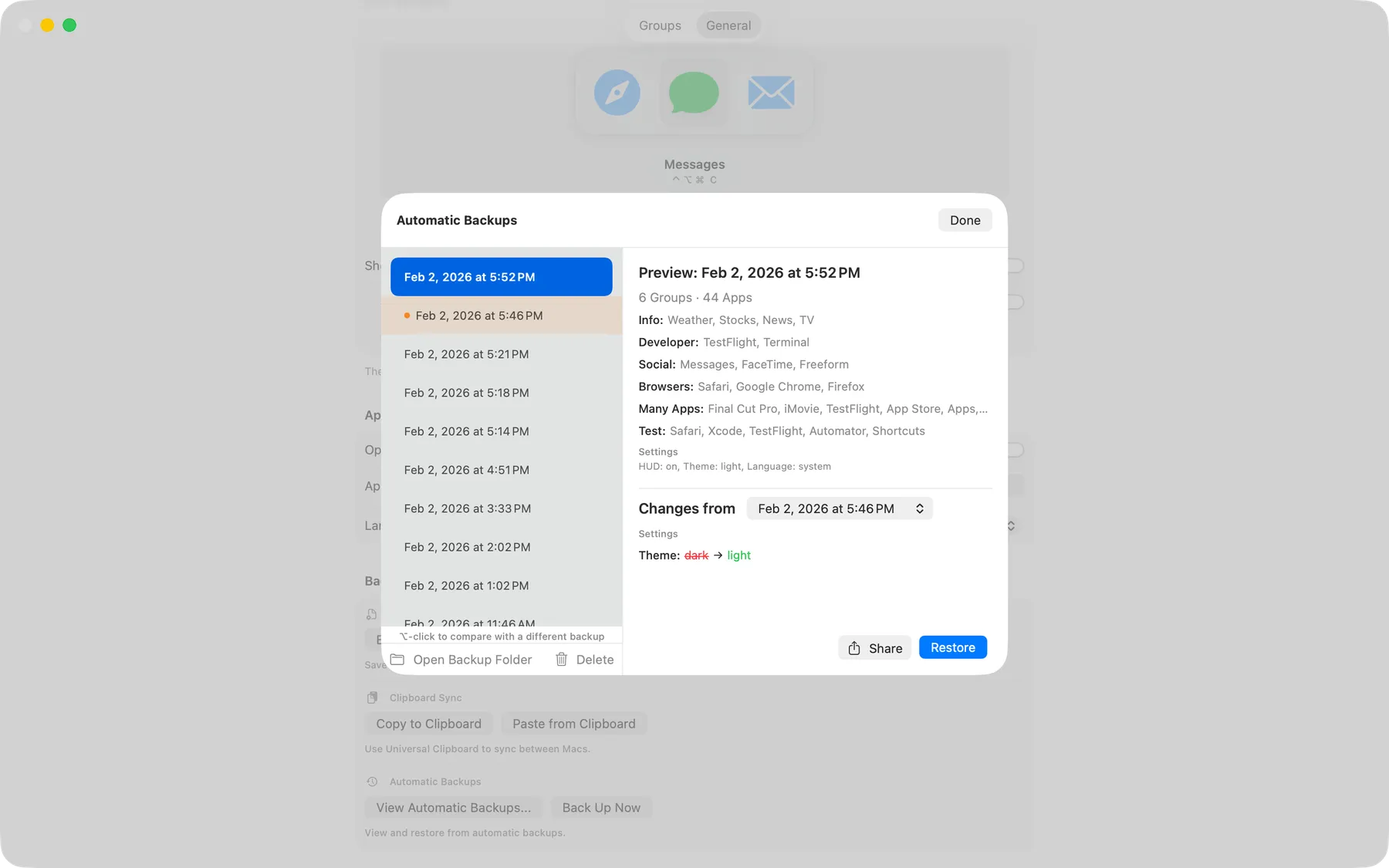
Automatic Backups
Mistakes happen. Configuration snapshots are saved automatically, letting you restore previous setups in seconds.
Automation Ready
Control ShortcutCycle with the shortcutcycle:// URL scheme from Apple
Shortcuts, Alfred, Raycast, or Keyboard Maestro. See URL command docs.
Global Ready
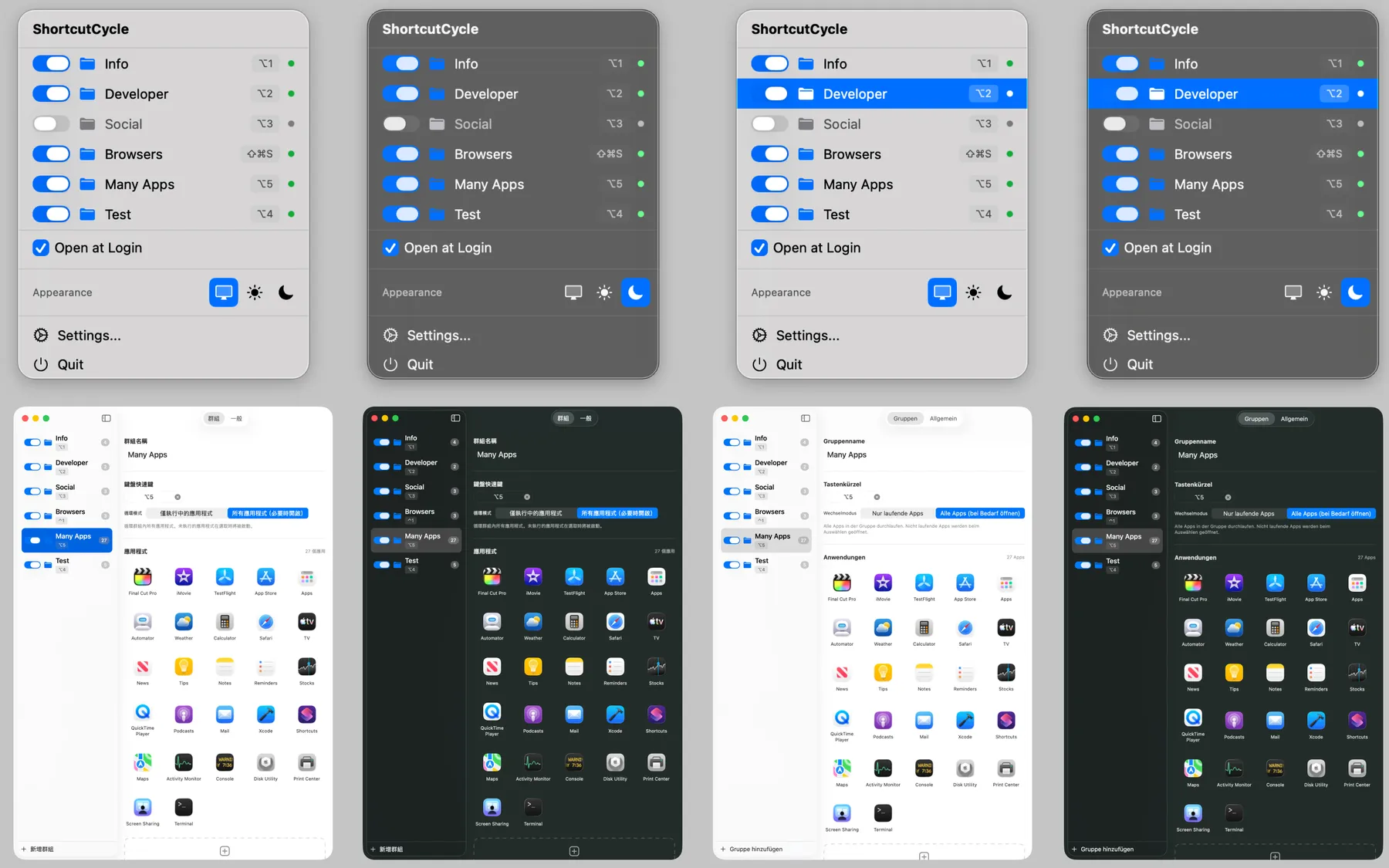
Fully localized interface in 15 languages. Productivity that speaks your language.
Fully Accessible
Complete VoiceOver support, Voice Control compatibility, and keyboard navigation throughout. Built with accessibility in mind from day one.
See It In Action
Watch how ShortcutCycle transforms your workflow
Quick App Switching
Cycle through grouped apps with a single keystroke
Visual HUD Overlay
See exactly what you're switching to with the beautiful native overlay
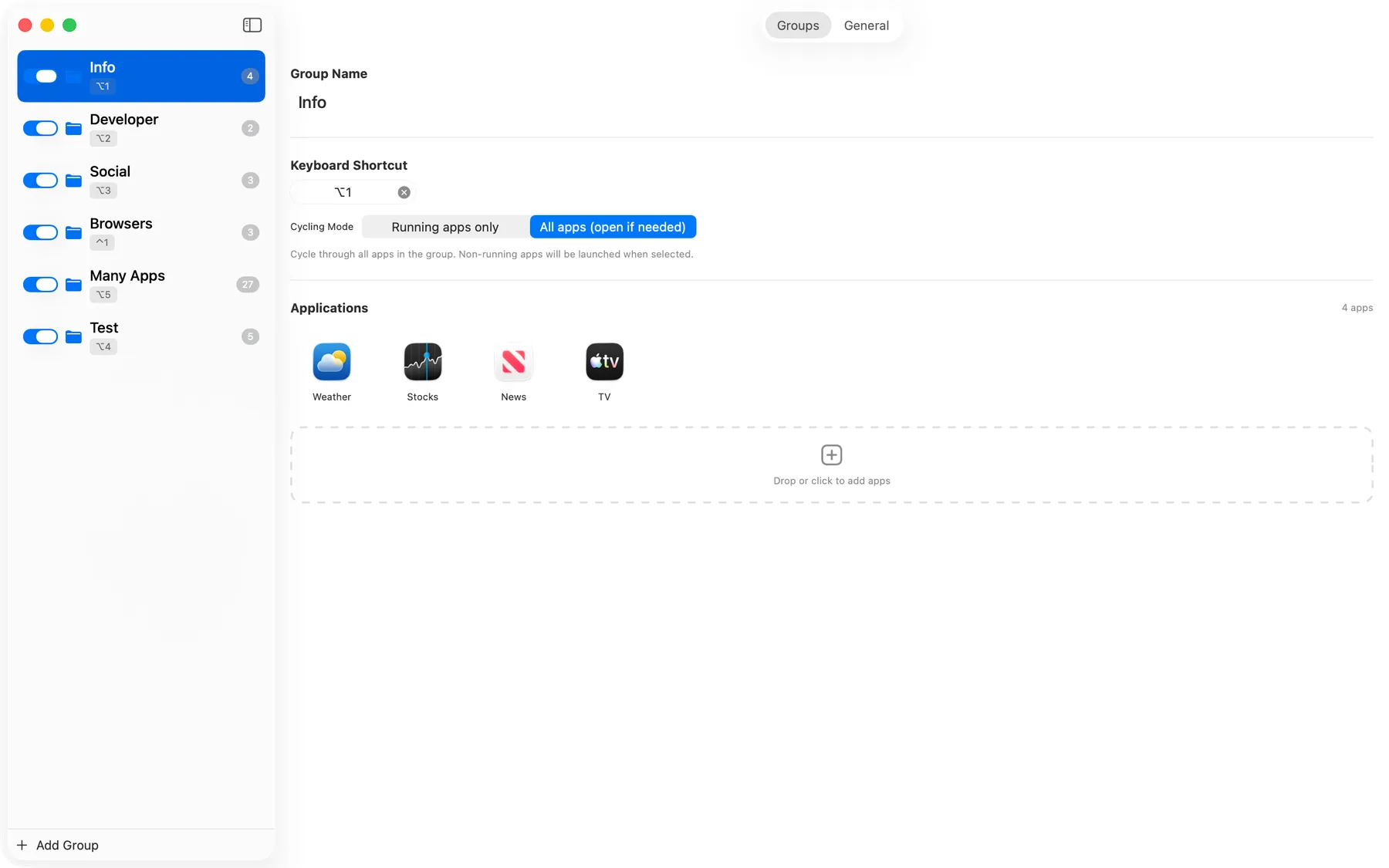
Easy Configuration
Set up your groups and shortcuts in seconds
Frequently Asked Questions
Getting Started
How do I create a group?
It's simple. Open the settings, click the + button to create a new group
(like "Social" or "Dev"), and assign a global hotkey (e.g., Option+1). Then,
just drag and drop the apps you want into that group.
Can I customize the shortcuts?
Yes, you have full control. You can assign any global shortcut to activate a specific group. Inside the group, apps are cycled based on the order you arrange them in.
What happens if an app isn't open?
ShortcutCycle acts as a launcher too. If you cycle to an app that isn't running, we'll automatically launch it for you instantly.
Automation & URL Commands
Can I automate ShortcutCycle with Shortcuts, Alfred, or Raycast?
Yes. ShortcutCycle supports the custom URL scheme
shortcutcycle://, so you can trigger actions from automation tools. Example
command:
open "shortcutcycle://cycle?group=Browsers"
Can URL commands open a specific settings tab or the backup browser?
Yes. Use these open commands:
open "shortcutcycle://open-settings?tab=groups"
open "shortcutcycle://open-settings?tab=general"
open "shortcutcycle://open-backup-browser"
Can URL commands import/export settings or restore backups?
Yes. You can export/import settings by path and restore backups by latest, index, name, or path. Example command:
open "shortcutcycle://restore-backup?index=2"
Import/restore replaces your current groups and settings immediately. See full URL command docs.
Backups & Privacy
Can I backup my configuration?
Yes! ShortcutCycle automatically creates backups using GFS (Grandfather-Father-Son) retention. You can also manually export your entire configuration to a JSON file for safekeeping or to transfer to another Mac.
Is my data private?
Absolutely. ShortcutCycle runs entirely on your Mac with zero analytics or tracking. Your app groups and shortcuts are stored locally in your user defaults. We never see or collect any of your data.
Compatibility & Project
What macOS versions are supported?
ShortcutCycle requires macOS 14.0 (Sonoma) or later. It's optimized for Apple Silicon but also works great on Intel Macs.
Does it work with multiple monitors?
Yes, ShortcutCycle works seamlessly across multiple monitors. The HUD overlay appears on your active display, and app switching works regardless of which monitor the app is on.
Why doesn't ShortcutCycle switch to a specific window?
ShortcutCycle is designed to be privacy-first. Reliable per-window switching would require much broader accessibility access to control other apps in deeper ways. We intentionally keep permissions narrower and focus on fast, dependable app switching.
Is it open source?
Yes! ShortcutCycle is 100% open source under the MIT license. You can view the code, contribute, or build it yourself on GitHub.